Introduction
Every student I talk to has the same problem. It is not a lack of information. It is too much of it. Lectures, PDFs, recorded classes, group projects, and exams all pile up at once, and there are still only 24 hours in a day.
That is where AI tools have quietly changed student life. Not by doing your work for you, but by cutting the time you spend on the boring parts. Summarizing a 60-page reading. Turning messy notes into flashcards. Fixing grammar before you submit an assignment.
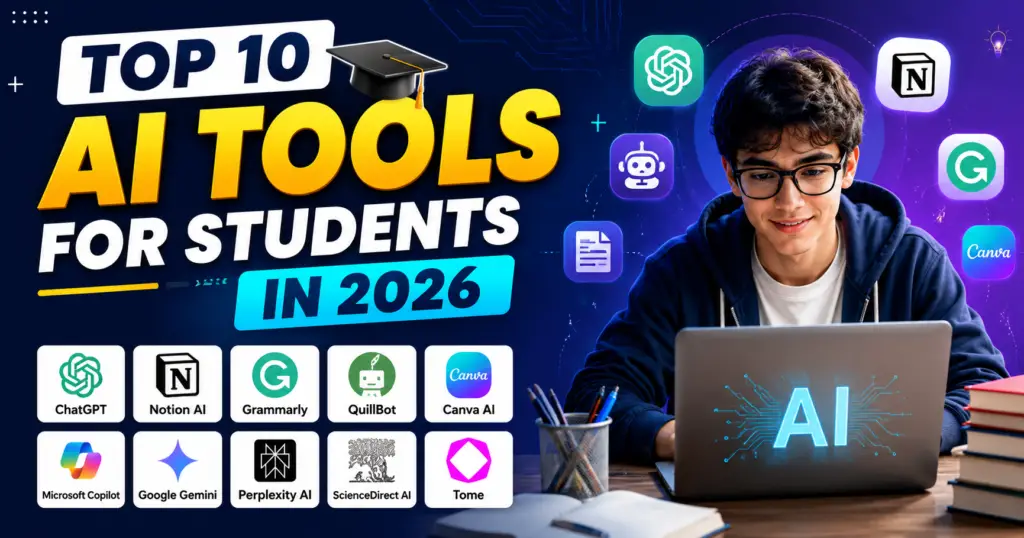
I have tested dozens of these apps over the past year. Most are forgettable. A few are genuinely worth your time. Here are the ten that actually earn a spot on a student’s laptop in 2026, along with what each one does best and where it falls short.
How to Pick the Right AI Tool (Before the List)
One quick thing first. The biggest mistake students make is downloading five apps and using none of them properly. Ask yourself where you lose the most time:
- Understanding topics? You need a tutor-style tool.
- Reading and research? You need a source-based research tool.
- Writing assignments? You need a writing and grammar tool.
- Revising for exams? You need a flashcard or quiz tool.
- Staying organized? You need a note and planner tool.
Pick two or three tools from the list below that match your weak spots. That is enough.
1. ChatGPT – Best All-Round Study Assistant
ChatGPT remains the tool most students open first, and for good reason. It explains difficult concepts in plain language, helps you brainstorm essay ideas, creates practice questions, and breaks down math or coding problems step by step.
The smart way to use it is as a tutor, not a ghostwriter. Ask it to explain a topic three different ways, or to quiz you on last week’s lecture. If you only copy answers, you learn nothing and your professor will notice.
Best for: Concept explanations, brainstorming, practice questions Free version: Yes, with a paid Plus plan for heavier use
2. NotebookLM – Best for Studying Your Own Material
Google’s NotebookLM might be the most underrated study tool right now. You upload your own sources, such as lecture slides, PDFs, and notes, and it answers questions using only that material. It can even turn your readings into an audio discussion you can listen to on a commute.
Because it sticks to your uploaded documents, the risk of made-up information is much lower than with a general chatbot. For exam prep based on a specific syllabus, this is hard to beat.
Best for: Studying from your own notes and readings, audio summaries Free version: Yes
3. Claude – Best for Long Documents and Deep Reading
Claude handles very long texts well, which makes it useful when you need to work through an entire textbook chapter, a research paper, or a long case study. It is also strong at structured writing help, like improving the flow of an essay draft or explaining where your argument is weak.
Students in law, humanities, and business courses tend to get the most out of it because those subjects involve heavy reading.
Best for: Long readings, essay feedback, detailed explanations Free version: Yes, with paid plans for higher limits
4. Perplexity – Best for Research with Sources
The problem with asking a chatbot for facts is that you cannot always trust the answer. Perplexity solves this by attaching sources to everything it tells you. Ask a question, get an answer, and see exactly which websites or papers it came from.
For research papers and assignments where you need citations, this saves hours of searching. Always click through and read the original source before citing it, though. That habit will save you from embarrassing mistakes.
Best for: Research, fact-checking, finding citable sources Free version: Yes, with a Pro plan for deeper searches
5. Grammarly – Best for Polishing Your Writing
Grammarly has been around for years, but it keeps improving. It catches grammar and spelling errors, obviously, but the real value is in tone and clarity suggestions. It tells you when a sentence is confusing or when your email to a professor sounds too casual.
If English is your second language, this tool alone can lift the quality of every assignment you submit.
Best for: Grammar, clarity, tone in essays and emails Free version: Yes, with premium features paid
6. QuillBot – Best for Paraphrasing and Summarizing
QuillBot does two things well. It rephrases sentences so you can express research findings in your own words, and it condenses long passages into short summaries. Both are useful when you are drowning in reading material.
A word of caution: paraphrasing a source is not the same as understanding it. Use QuillBot to speed up your note-taking, not to disguise copied work. Universities use detection tools too, and academic integrity matters more than one deadline.
Best for: Paraphrasing, summarizing readings, note-taking Free version: Yes, with limits
7. Notion AI – Best for Organizing Student Life
Notion is where many students already keep their notes, timetables, and project plans. The built-in AI takes it further. It can summarize your notes, draft to-do lists from a project brief, and clean up messy class notes into a structured format.
The advantage is that everything stays in one place. Your notes, your planner, and your AI assistant live in the same workspace instead of five different apps.
Best for: Notes, planning, group projects, staying organized Free version: Yes for students, with AI features on paid plans
8. Otter.ai – Best for Recording and Transcribing Lectures
Trying to listen and write at the same time means you miss half of what the professor says. Otter records lectures and turns them into searchable text, with summaries and highlighted key points.
Check your university’s policy before recording any class, and ask permission where needed. Once that is sorted, Otter frees you to actually pay attention instead of scribbling.
Best for: Lecture transcription, meeting notes, revision from recordings Free version: Yes, with monthly limits
9. Quizlet – Best for Flashcards and Exam Revision
Re-reading notes feels productive, but research on learning consistently shows that active recall works far better. That means testing yourself, not just reviewing. Quizlet’s AI features turn your notes into flashcards and practice tests automatically, so you spend your revision time answering questions instead of making materials.
Its spaced repetition approach also reminds you to review topics right before you would naturally forget them.
Best for: Flashcards, self-testing, exam preparation Free version: Yes, with a paid tier for extra features
10. Gamma – Best for Presentations
Every semester has that one group presentation. Gamma builds clean, professional slide decks from a simple outline or document. You describe your topic, it generates the structure and design, and you refine from there.
It will not do your research for you, but it removes the two hours you would normally spend fighting with slide layouts at midnight.
Best for: Slide decks, project presentations, visual reports Free version: Yes, with credits
A Quick Word on Using These Tools Responsibly
AI tools are now part of student life, but the line between help and cheating is real. A simple rule works well: use AI to understand, practice, and polish. Do not use it to produce work you claim as your own thinking. Most universities have published AI policies by now, so read yours. It takes ten minutes and can save your degree.
Also, be careful with personal data. Avoid uploading documents that contain private information about other people, and check what each app does with your files.
6. Conclusion
You do not need all ten of these tools. You need the right two or three. If you struggle with understanding topics, start with ChatGPT or Claude. If reading load is your problem, try NotebookLM and Perplexity. If exams are your weak point, build a Quizlet habit.
The students who benefit most from AI in 2026 are not the ones who automate everything. They are the ones who use these tools to remove busywork and spend the saved time actually learning. Pick your tools, build a simple routine around them, and let the technology handle the parts of studying that never taught you anything anyway.
7. FAQ
1. Are these AI tools free for students? Every tool on this list has a free version. Free tiers usually come with usage limits, but for most students they are enough for daily study needs. Paid plans mainly add higher limits and advanced features.
2. Is it cheating to use AI tools for assignments? It depends on how you use them and what your university allows. Using AI to understand concepts, create practice questions, or check grammar is generally fine. Submitting AI-written work as your own is usually a violation of academic integrity rules. Always check your institution’s policy.
3. Which AI tool is best for exam preparation? Quizlet is the strongest choice for exam revision because it is built around active recall and spaced repetition. NotebookLM is a close second if you want to study directly from your own lecture notes and readings.
4. Can AI tools give wrong information? Yes. General chatbots can produce confident-sounding answers that are incorrect. That is why tools like Perplexity, which show their sources, and NotebookLM, which only uses your uploaded material, are safer for factual research. Always verify important facts before using them in assignments.
5. Do I need a powerful laptop to use these tools? No. All ten tools run in a web browser or as lightweight mobile apps. Any basic laptop or smartphone with an internet connection is enough.