ChatGPT vs Gemini vs Claude: Complete Comparison (2026)
If you have tried to pick one AI assistant in 2026, you already know the problem. ChatGPT, Gemini, and Claude all do similar things on the surface, all cost around the same, and all claim to be the smartest option out there. So which one actually deserves a spot on your phone or browser tab?
The honest answer is that there is no single winner. Each of these three has carved out its own strength, and the right pick depends on what you actually spend your day doing. This guide breaks down where each one wins, where it falls short, and which one fits your specific workflow.
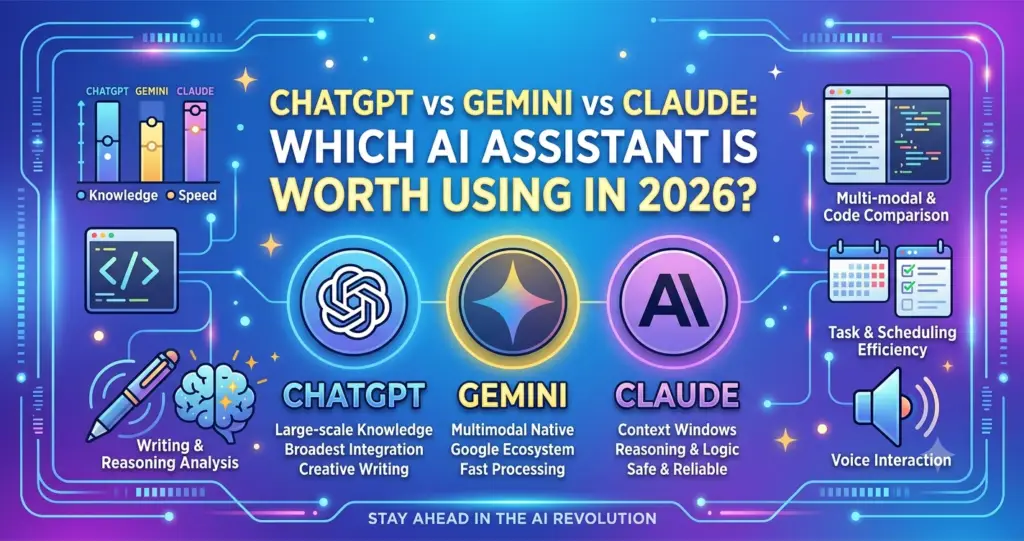
A Quick Overview of the Three
Before comparing features, it helps to know what each tool is built by and known for.
- ChatGPT is built by OpenAI and remains the most widely recognized name. It has the biggest user base and the widest range of plugins, integrations, and third-party apps built around it.
- Gemini is built by Google and lives inside the tools you probably already use, like Gmail, Docs, and Search. It stands out for handling images, video, and very long documents in a single conversation.
- Claude is built by Anthropic and has built a strong reputation for careful, well-structured writing and for sticking closely to instructions across long, detailed tasks.
Pricing: How Much Do They Actually Cost?
Here is where things get interesting. All three have converged on a similar price for their main paid plan.
- ChatGPT Plus costs around $20 per month, with a free tier that includes ads in some regions.
- Claude Pro also costs around $20 per month, and its free tier gives access to a genuinely capable model rather than a stripped-down version.
- Google AI Pro (Gemini) is priced just under $20 per month and bundles in extra Google storage, which makes it a strong deal if you are already a heavy Gmail or Drive user.
For power users, all three also offer higher-priced tiers, ranging from around $100 to $200 a month, aimed at professionals who need the most advanced models or heavier usage limits. Unless your work is extremely demanding, the standard $20 tier from any of the three will cover most needs comfortably.
Which One Gives You More for Free?
If budget is tight, this matters more than the paid comparison. Claude’s free tier tends to give you access to a stronger model compared to the free versions of the other two, though usage caps are tighter. ChatGPT’s free tier is the most generous in terms of message limits but runs on a lighter model. Gemini’s free access is solid and works well if you are already inside Google’s ecosystem.
Writing Quality and Tone Control
This is one of the biggest differences people notice once they start using these tools for real work.
Claude has a reputation for following detailed style instructions closely, even across long pieces of content. If you ask it to avoid certain words, match a specific tone, or keep a consistent structure through a 2000-word draft, it tends to hold that instruction better than the other two.
ChatGPT produces strong, versatile writing and handles a huge range of styles well, though it can lean toward generic phrasing if your instructions are not specific enough.
Gemini writes competently and has a real advantage if you work directly inside Google Docs, since it can draft and edit without you needing to copy and paste anything.
Bottom line: if writing quality and instruction-following are your top priority, Claude is generally the stronger pick. If you want speed and flexibility across many styles, ChatGPT holds up well.
Research and Fact-Finding
All three can search the web and pull in current information, but they approach it differently.
- ChatGPT offers deep research modes that dig through multiple sources and compile a detailed report, with the number of sessions depending on your plan.
- Gemini bundles generous research access into its standard paid plan, which is a strong value if you do frequent research tasks.
- Claude can also research and cite sources, though Anthropic has focused more of its recent development on coding and document analysis rather than research features specifically.
If research is your main use case, Gemini or ChatGPT will likely feel more built-out for that purpose right now.
Coding and Technical Work
For developers and technical teams, this comparison usually comes down to accuracy on real coding tasks rather than general chat ability.
Claude has built a strong name for itself in coding tasks, particularly for multi-step problems that require understanding a large codebase or following a project’s existing patterns. ChatGPT remains a strong all-around coder and handles debugging, data analysis, and quick scripts well. Gemini’s biggest technical advantage is its very large context window, which lets it take in an entire codebase or lengthy documentation in one go without needing it split into chunks.
Multimodal Abilities: Images, Video, and Documents
If your work involves images, screenshots, or video content regularly, Gemini tends to have the edge here. Google’s integration with its own media tools gives it a natural advantage for multimodal tasks. ChatGPT also handles images and files well and has closed much of the gap over the past year. Claude supports image and document analysis too, particularly for reading and summarizing long PDFs or scanned documents, though video handling is not its core strength.
Which One Should You Actually Pick?
Instead of trying to find one “best” tool, think about your main use case:
- Choose Claude if: you write often, need consistent tone across long documents, or work on complex coding projects that need careful reasoning.
- Choose ChatGPT if: you want the most well-rounded assistant with the widest range of integrations and plugins, and you switch between many different types of tasks.
- Choose Gemini if: you live inside Gmail, Docs, and Google Search, or you regularly work with images, video, or very long files.
A growing number of professionals are not picking just one. It is common now to use Claude for writing and analysis, ChatGPT for general tasks and quick answers, and Gemini for anything tied to Google Workspace. Since all three cost roughly the same at the standard tier, running two side by side is not a big financial stretch if your work genuinely spans different needs.
Conclusion
There is no universal winner in the ChatGPT vs Gemini vs Claude debate, and honestly, that is a good thing. It means you get to pick based on how you actually work instead of settling for whichever tool has the loudest marketing. If your day revolves around writing and detailed instructions, Claude will likely feel like the better fit. If you want one flexible tool for everything, ChatGPT covers the most ground. And if Google’s apps are already central to your workflow, Gemini will feel like the most natural extension of what you use every day.
Try the free version of each for a week before committing to a paid plan. The differences become obvious fast once you are using them for your own real tasks instead of reading about them.
FAQs
1. Which AI assistant is the cheapest in 2026? All three offer free tiers, and their standard paid plans sit within a dollar of each other at roughly $20 per month. Gemini’s Google AI Pro plan often gives the most extra value since it bundles in additional cloud storage.
2. Is Claude better than ChatGPT for writing? For long-form writing and following specific tone or style instructions, Claude generally performs more consistently. ChatGPT is still a strong all-around writer, especially for shorter or more general content.
3. Which AI tool is best for coding? Claude has a strong reputation for handling complex, multi-step coding tasks, while ChatGPT remains a dependable all-rounder for debugging and quick scripts. Gemini’s advantage is its ability to process very large codebases at once.
4. Does Gemini work better with Google apps? Yes. Gemini is built directly into Gmail, Docs, Sheets, and other Google tools, so it can draft and edit content without needing you to switch apps or copy and paste.
5. Can I use more than one of these tools at the same time? Yes, and many professionals do. Since pricing is similar across all three, it is common to use different tools for different tasks, such as Claude for writing, ChatGPT for general questions, and Gemini for Google Workspace tasks.